B1G Player Compatible Devices
Not every device runs B1G Player the same way. Some use a direct Android-compatible app; others need a compatible IPTV player. Find the right setup for your Firestick, Android, Samsung, LG, iPhone, iPad, Windows, Mac or Roku.
B1G Player App vs Compatible IPTV Player
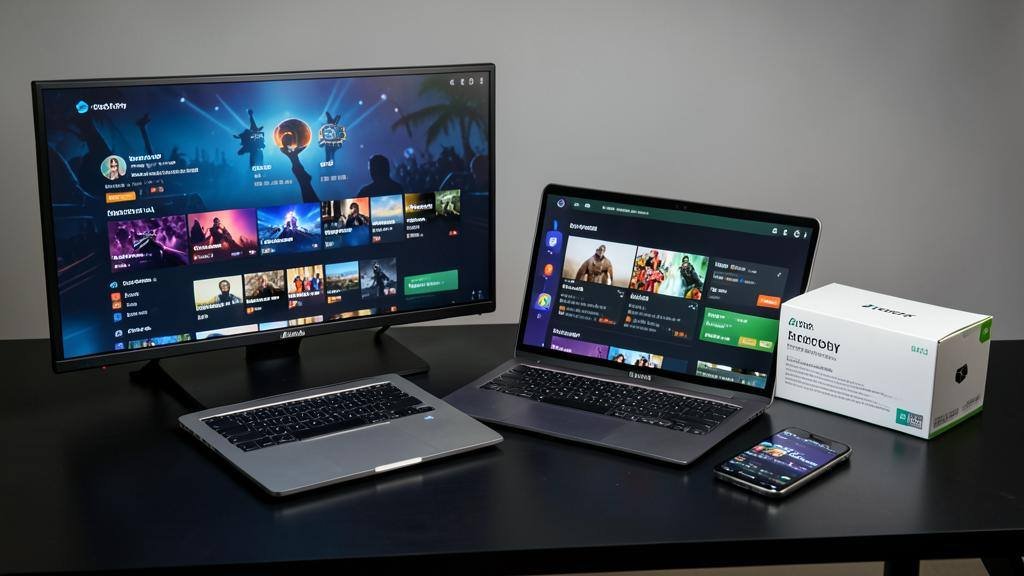
A B1G Player setup can involve two different things. The right choice depends on your device’s operating system.
Direct or Android-Compatible Setup
On Android-based devices the setup may use a direct B1G Player application or an Android-compatible app installation method.
- ✓ Amazon Firestick / Fire TV
- ✓ Android smartphones & tablets
- ✓ Android TV / Google TV
- ✓ Nvidia Shield
- ✓ Other Android-based devices
Compatible IPTV Player
Some devices do not support the Android app. Instead, the B1G subscription connects through a compatible IPTV player for that platform.
- ✓ Samsung Smart TVs
- ✓ LG Smart TVs
- ✓ iPhone / iPad
- ✓ Windows PC
- ✓ Mac
Quick Compatibility Guide
Use this table to see the typical setup route for your device. Always confirm the exact app before downloading.
| Device | Typical Setup |
|---|---|
| Amazon Firestick / Fire TV | Android-based compatible setup |
| Android Phone / Tablet | Android-compatible player / app |
| Android TV / Google TV | Android-compatible player / app |
| Nvidia Shield | Android-based setup |
| Samsung Smart TV | Compatible Smart TV IPTV player |
| LG Smart TV | Compatible webOS IPTV player |
| iPhone / iPad | Compatible iOS / iPadOS IPTV player |
| Windows PC | Compatible desktop IPTV player |
| Mac | Compatible macOS IPTV player |
| Roku | Compatibility should be confirmed first |
B1G Player on Firestick
Amazon Firestick and Fire TV use an Android-based operating environment. Because of this, Firestick setups may use a compatible Android application, a verified APK installation, Downloader where required, or another supported Fire TV installation method.
B1G Player on Android Phones and Tablets
Android smartphones and tablets can use compatible Android applications. Depending on the setup, installation may happen through an available app store, a verified APK, or another approved Android installation route.
B1G Player on Android TV and Google TV
Android TV and Google TV also use an Android-based platform. They may support compatible Android IPTV players, but the user interface can differ from a mobile phone. TV-focused applications are normally easier to control using a remote.
Before installation, confirm your device model, Android / Google TV platform, available player and required installation method.
B1G Player on Samsung Smart TV
Samsung Smart TVs commonly run Tizen, not standard Android. This distinction is important. An Android B1G Player APK should not automatically be treated as a Samsung TV installation file. Instead, a supported Samsung TV may need a compatible IPTV player available through its Smart TV platform.
- Check the Samsung TV model.
- Find a compatible IPTV player.
- Install the player through the supported TV platform.
- Connect the B1G IPTV subscription.
- Test playback and navigation.
B1G Player on LG Smart TV
LG Smart TVs commonly use webOS. Like Samsung Tizen, webOS is not the same as Android, so an Android APK is generally not the right installation method. Users should check for an IPTV player compatible with the LG television and operating system.
Exact app availability depends on the LG TV model, webOS version, region and app store availability.
B1G Player on iPhone and iPad
iPhone and iPad use Apple's iOS and iPadOS platforms. Android APK files cannot be installed on these devices. Instead, users need a compatible IPTV player designed for Apple's platform.
- Install a suitable compatible player.
- Open the application.
- Connect your active subscription or free trial.
- Allow the service to load.
- Test playback.
B1G Player on Windows and Mac
Windows computers require compatible desktop software rather than a mobile Android APK. The B1G IPTV subscription can be connected through a suitable IPTV player supported on Windows. Before installing, confirm Windows compatibility, trusted download source, required subscription setup and internet connectivity.
Mac computers use macOS and require compatible software designed for the Apple desktop platform. An Android APK is not a Mac application. Choose a compatible IPTV player that supports macOS and the required B1G subscription setup.
What About Roku?
Roku uses its own operating system and does not work the same way as Firestick, Android TV, Samsung Tizen or LG webOS. Because compatibility and available applications can vary, do not assume a direct B1G Player installation is available on Roku.
Why Does B1G Player Need Different Apps on Different Devices?
Different devices use different operating systems. Applications are designed for specific operating systems, which is why the same installation file cannot be used everywhere.
| Device | Operating Environment |
|---|---|
| Firestick | Fire OS / Android-based |
| Android Phone | Android |
| Android TV | Android-based |
| Samsung Smart TV | Tizen |
| LG Smart TV | webOS |
| iPhone / iPad | iOS / iPadOS |
| Windows PC | Windows |
| Mac | macOS |
What Is a Compatible IPTV Player?
A compatible IPTV player is an application that can display and organise content from an active IPTV subscription. The player itself is not the same as the subscription.
IPTV player = viewing software
It provides the interface you use to watch channels and VOD.
B1G subscription = account / service access
It provides the content and connection credentials.
Different devices may use different players while connecting to the same type of B1G subscription access.
Which Setup Should You Choose?
Use the device you actually plan to watch on.
Firestick
Follow the Firestick guide and use the verified installation method.
Android
Install the appropriate Android-compatible player.
Samsung or LG TV
Use a Smart TV-compatible IPTV player.
iPhone / iPad
Use an iOS-compatible IPTV player.
Windows / Mac
Choose a compatible desktop player.
Not sure?
Ask 24/7 WhatsApp support for your exact device.
Can I Use the Same B1G Subscription on Different Devices?
Device compatibility and simultaneous connection allowances are not the same thing. A subscription may be technically compatible with several types of devices, but this does not automatically mean one account can be used on several devices at the same time.
Try Your Device Before Buying a Subscription
If you are unsure whether your device works with B1G Player, use the available free trial before purchasing. The trial lets you check device compatibility, correct player setup, installation, navigation, EPG where supported, playback and internet stability.
24/7 WhatsApp Device Setup Support
If you do not know whether you need the direct B1G app, an Android APK or a compatible IPTV player, our 24/7 WhatsApp support can help you choose the correct setup.
When contacting support, provide:
- • Device brand
- • Device model if available
- • Operating system if known
- • Whether you already have a player installed
- • Any error message you are seeing
Support can assist with:
- • Device compatibility
- • Choosing the appropriate player
- • Installation guidance
- • Free-trial setup
- • Subscription activation & login help
Avoid Using the Wrong App for Your Device
Trying to force the wrong application onto a device can create unnecessary problems. Follow these simple rules:
Do not install Android APKs on Apple devices
APK files are for Android-based systems only.
Do not assume Samsung or LG uses Android
They commonly use their own Smart TV operating systems.
Do not download random B1G apps
Use current installation guidance rather than unknown files.
Do not copy unverified Downloader codes
A code from another site may point to a different app.
Check compatibility first
Confirming your device before installation is usually faster than troubleshooting the wrong app later.
Frequently Asked Questions
Quick answers about B1G Player device compatibility.
Does B1G Player work on every device?⌄
B1G subscription access can be used through various compatible setups, but the same app does not necessarily install directly on every device.
Which devices support B1G Player?⌄
Compatible setups may include Firestick, Android devices, Android TV, Smart TVs, iPhone, iPad, Windows and Mac. The exact player depends on the platform.
Does B1G Player work directly on Samsung TV?⌄
Samsung TVs may require a compatible IPTV player designed for the Samsung/Tizen platform rather than an Android B1G Player APK.
Does B1G Player work on LG Smart TV?⌄
Compatible LG TVs may use a suitable IPTV player available for webOS.
Can I install B1G Player APK on iPhone?⌄
No. APK files are designed for Android. iPhone and iPad require an iOS-compatible application.
Can I install B1G Player APK on Samsung TV?⌄
Samsung TVs generally use Tizen rather than Android, so a standard Android APK is usually not the correct installation method.
Does B1G Player work on Firestick?⌄
A compatible Firestick setup can be used. Fire TV is Android-based, so the installation route can differ from Samsung and LG Smart TVs.
Does B1G Player work on Android TV?⌄
Compatible Android TV and Google TV devices can use an appropriate Android-based player setup.
Do I need a separate IPTV player?⌄
That depends on your device. Some platforms may use a direct or Android-compatible B1G setup, while others require a compatible third-party IPTV player.
Is an IPTV player the same as a B1G subscription?⌄
No. The player is the viewing software. Your B1G IPTV subscription provides the account/service access.
Can I test my device before buying?⌄
Yes. A free trial is available so you can test compatibility and setup before choosing a paid plan.
Can support tell me which player I need?⌄
Yes. 24/7 WhatsApp support can help identify the appropriate setup for your device.
Find the Right B1G Player Setup for Your Device
Android-based platforms such as Firestick and Android TV may use an Android-compatible setup, while Samsung, LG, Apple and desktop platforms can require different compatible IPTV players.
- Identify your device.
- Check its operating system.
- Choose the appropriate player.
- Connect your free trial or subscription.
- Test the setup.