
Free Trial UK
B1G Player Free Trial UK – Try Before You Subscribe
Not sure whether B1G Player is right for your device and viewing setup? Request a B1G Player free trial and test the service before choosing a paid IPTV subscription.
The trial gives UK users an opportunity to check device compatibility, player setup, navigation and playback on the internet connection they normally use. If you need help getting started, 24/7 WhatsApp support is available to assist with setup.
There is no need to choose a paid plan before testing the service.
Free Trial Available • Device Setup Help • 24/7 WhatsApp Support
What Is the B1G Player Free Trial?
The B1G Player free trial allows you to test the service on a compatible device before deciding whether to purchase a subscription.
Instead of relying only on feature descriptions, you can check how the service works with your own setup:
- Device
- Internet connection
- Compatible player
- Viewing setup
- Available service features
This makes the trial particularly useful if you are new to B1G IPTV or want to confirm compatibility before paying for a longer subscription.
If the service suits your setup, you can continue by choosing one of the available paid plans.
What Can You Check During Your B1G IPTV Free Trial?
A free trial is most useful when you test the things that matter to your everyday viewing rather than simply opening the player once.
Device Compatibility
Check whether the service works correctly with the device you plan to continue using – Firestick and Fire TV, Smart TVs, Android TV and Google TV, Android phones and tablets, iPhone and iPad, Windows and Mac computers.
Player Setup and Navigation
Use the trial to check whether you are comfortable using the player interface: categories, search functions, programme information and other supported navigation features.
Live TV and Categories
Browse the live television and other content categories available through your trial setup. If specific programming matters to you, check it during the trial or ask support first.
Movies and Series
Where available through the active service, explore movie and series categories and check how they load and display on your preferred device.
EPG / TV Guide
If EPG information is supported in your setup, check whether programme schedules and guide information display correctly. Availability can vary by configuration and player.
Catch-Up Features
Where supported, check available catch-up functionality during your trial. Availability may vary by content and service configuration.
Playback on Your Connection
Test using the internet connection you normally use at home. Performance can depend on internet stability, Wi-Fi signal, device performance, player configuration and network congestion.
Your Everyday Viewing
Testing on your actual setup gives you more useful information than judging the service on a different connection or device.
How to Get a B1G Player Free Trial
Requesting your IPTV free trial in the UK is straightforward.
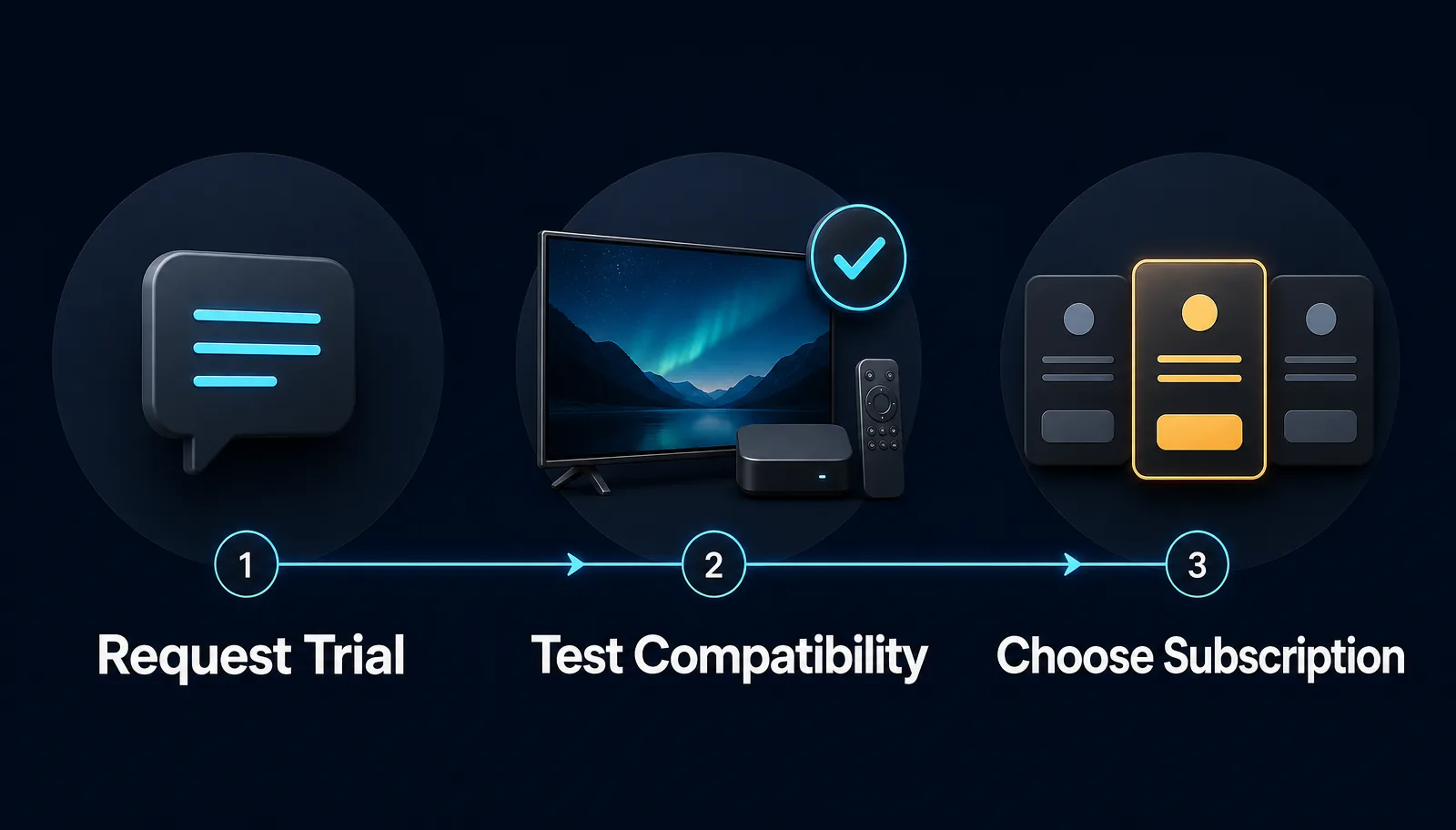
Step 1 – Request Your Trial
Use the free-trial button and contact our support team. When requesting the trial, tell us which device you intend to use.
Step 2 – Confirm Your Device
Let support know whether you are using a Firestick, Smart TV, Android TV, smartphone, tablet, Windows PC, Mac or other compatible device.
Step 3 – Get Setup Assistance
Our 24/7 WhatsApp support can help you connect the required compatible player and trial access on your device.
Step 4 – Test the Service
Once your trial is active, check the service on the same device and internet connection you expect to use regularly.
Step 5 – Choose a Subscription
If you are satisfied with your trial, choose the subscription duration that best fits your requirements.
Free Trial Before Buying an IPTV Subscription
A free trial can help you make a more informed decision before purchasing an IPTV subscription. Rather than choosing a plan first and checking compatibility afterwards, the trial allows you to test your setup before committing.
This can be especially useful if:
- First time using B1G Player
- Unsure about device compatibility
- You need help with player setup
- You want to test your internet
- You want to check features first
- You are comparing IPTV options
Once you know the service works with your setup, you can choose the subscription period you prefer.
B1G IPTV Subscription Plans After Your Trial
If you decide to continue after your free trial, the following subscription options are available:
You can select a shorter plan if you prefer flexibility, or a longer subscription if you do not want to renew as frequently. After payment is completed, your subscription can be activated immediately.
Free Trial on Firestick
Amazon Firestick and Fire TV are popular devices for IPTV viewing. If you want to test B1G Player on Firestick, tell our support team which Fire TV device you are using.
- A compatible Firestick or Fire TV
- Stable internet access
- A suitable IPTV player setup
- Your trial access details
The installation method can vary depending on the player being used. For complete instructions, contact WhatsApp support.
Free Trial on Smart TV
You can also request a trial for a compatible Smart TV setup. The installation method can differ between television brands, models and operating systems.
- Your Smart TV brand
- TV model if required
- Available compatible applications
- Internet connection
If you are unsure whether your television is suitable, contact support before requesting the trial.
Free Trial on Android, Mobile and Computer
A B1G IPTV free trial may also be tested through compatible setups on:
- Android TV
- Google TV
- Android smartphones
- Android tablets
- iPhone
- iPad
- Windows
- Mac
The exact app or compatible player depends on the device being used. If you are looking for the correct B1G Player app or setup method, use our official website guidance or contact support rather than downloading unverified files from unknown sources.
Why Test B1G Player Before Buying?
Check Your Own Device
You can test the device you actually intend to use after subscribing.
Test Your Normal Internet
Streaming performance can vary between networks. Testing on your own Wi-Fi or wired connection gives a realistic idea of how your setup performs.
Get Setup Help Before Paying
If you run into installation or compatibility questions, WhatsApp support can help before you select a paid plan.
Understand the Player
You can become familiar with the available interface and navigation before committing to a subscription.
Choose Your Plan After Testing
If the service suits your needs, you can then decide whether a 1, 3, 6 or 12-month plan is the right option.
Fewer Unanswered Questions
Choosing an IPTV subscription without testing your own setup can leave important questions unanswered. A trial answers them first.
24/7 WhatsApp Support During Setup
Setting up an IPTV player can be unfamiliar if you have never used one before. Our 24/7 WhatsApp customer support is available to help with common trial questions such as:
- Device compatibility
- Player setup
- Trial activation
- Login assistance
- Basic troubleshooting
- Moving from trial to paid
When contacting support, include the device you are using and a clear description of any issue. This helps the support team provide more relevant setup guidance.
How to Test Your IPTV Free Trial Properly
To get useful information from your trial, test it in conditions similar to your normal use.
Use Your Main Device
If you plan to watch on Firestick, test on Firestick. If you plan to use a Smart TV, test the Smart TV setup. Avoid judging compatibility only from a different device.
Use Your Normal Connection
Test over the same home network you normally use. If possible, check playback at different times during your trial.
Check the Features You Need
Rather than browsing randomly, check what you use most: live TV navigation, sports categories, movies and series, EPG, catch-up where available, search and device responsiveness.
Ask Questions Before Buying
If something is unclear during the trial, contact support before purchasing. The purpose of the free trial is to help you make a better-informed decision.
What Happens After the Free Trial?
If B1G Player works well with your device and meets your requirements, you can move to a paid subscription: 1 Month — £12, 3 Months — £25, 6 Months — £35, 12 Months — £50.
After completing payment, your subscription can be activated immediately. If you need help moving from your trial setup to the paid account, WhatsApp support is available.
If you decide the service is not suitable for you, you are not required to choose a paid plan simply because you requested a trial.
Frequently Asked Questions About the B1G Player Free Trial
Is a B1G Player free trial available in the UK?+
Yes. UK users can request a free trial before choosing a paid B1G Player subscription.
How do I request a B1G IPTV free trial?+
Use the free-trial button and contact our support team. Tell us which device you intend to use so we can provide the appropriate setup guidance.
How long does the free trial last?+
Trial availability and duration should be confirmed when you request your trial.
Do I need to buy a subscription before testing?+
No. You can request the available free trial before selecting a paid subscription.
Which devices can I test?+
Compatible setups may include Firestick, Smart TVs, Android TV, mobile devices, tablets and computers. The exact setup method depends on your device.
Can support help me install the player?+
Yes. 24/7 WhatsApp support is available for compatible device and setup assistance.
Can I test B1G Player on Firestick?+
Yes, a compatible Firestick setup can be used. Contact support if you need help with the correct installation process.
Can I test my internet connection during the trial?+
Yes. Testing the service on your normal home internet connection is recommended because streaming performance can depend on network conditions.
What should I test before buying?+
Check device compatibility, playback, navigation and the supported features that matter most to you.
What happens if I like the trial?+
Choose a 1, 3, 6 or 12-month subscription. Your paid subscription can be activated immediately after payment.
Is 24/7 support available during the trial?+
Yes. WhatsApp support is available 24/7 for common setup, compatibility and activation questions.
Start Your B1G Player Free Trial
Test B1G Player on your own compatible device before choosing a paid subscription. Use the trial to check:
- Device compatibility
- Player setup
- Navigation
- Supported features
- Playback on your internet connection
If you need help, 24/7 WhatsApp support is available throughout the setup process. Satisfied with your trial? Choose a subscription from £12 and get immediate activation after payment.